Conditional Terms
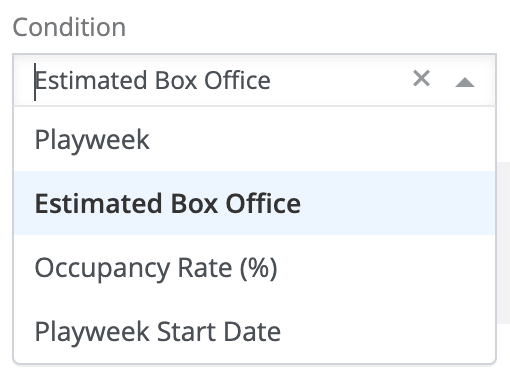
Understand the four conditional term types in Mica: Playweek, Estimated Box Office (scale terms), Occupancy Rate, and Playweek Start Date. Learn how each condition calculates rental percentages dynamically based on different variables.

When you set a Condition on a term template or booking, Mica calculates the rental percentage dynamically rather than applying a single flat rate. Each condition type uses a different variable — playweek number, box office performance, occupancy, or release date — to determine which percentage applies. This article explains the four condition types and when to use each one.
Table of Contents
- Where to set a condition
- Playweek
- Estimated Box Office (AKA Scale Terms)
- Occupancy Rate
- Playweek Start Date
- Choosing the Right Condition
Where to Set a Condition
Conditions are available wherever you define rental terms in Mica:
- Term templates — Navigate to Bookings → Term-Templates and select a condition when creating or editing a template
- Individual bookings — During the Terms step of the booking wizard, select a condition from the Condition dropdown
- Venue or venue group defaults — Set via the Week Terms button on a venue or venue group detail page
When you select a condition, the form expands to show a step table where you define the percentage for each threshold.
Playweek
The most common condition type. Rental percentage is determined by the playweek number within each venue's booking. Week 1 typically carries the highest percentage, decreasing in later weeks as box office performance naturally declines.
How it works
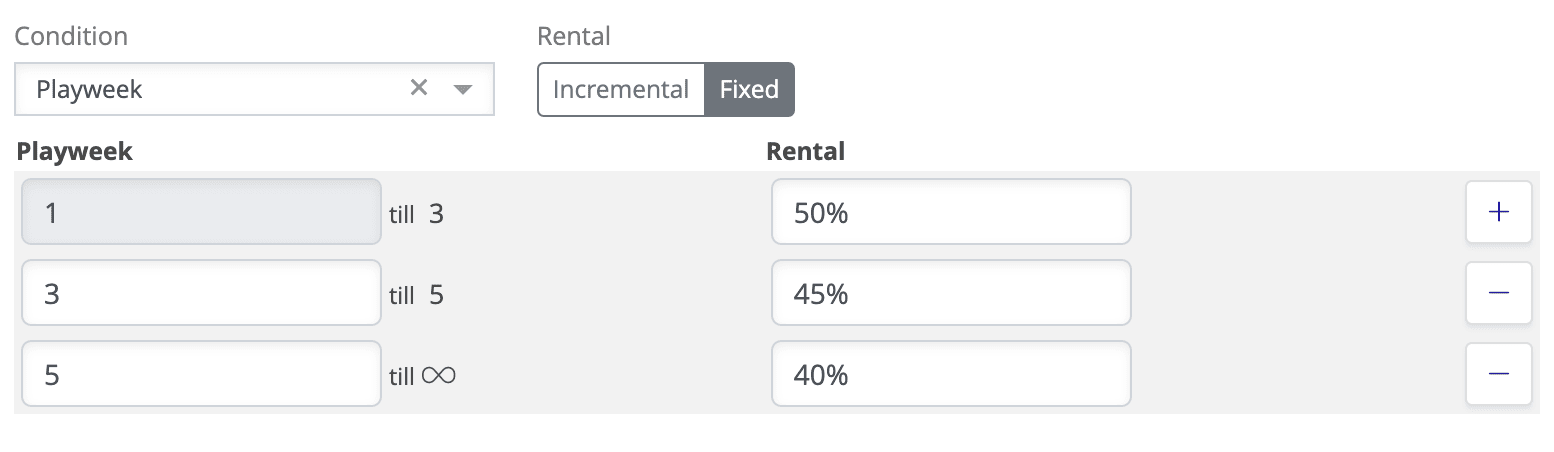
You define a percentage for each playweek. When Mica calculates rental for a given week, it looks up the percentage assigned to that playweek number. If the booking runs beyond the last defined week, the final percentage continues to apply.
Example
| Playweek | Rental % |
|---|---|
| 1 | 50% |
| 2 | 50% |
| 3 | 45% |
| 4 | 40% |
| 5 | 35% |
| 6+ | 30% |
In this example, a venue in its third playweek pays 45% of box office as rental. If the booking extends to week 8, the week 6 rate of 30% applies.
Estimated Box Office (AKA Scale Terms)
Also known as scale terms, this condition ties the rental percentage to the film's country-wide box office performance. Higher total box office results in a higher percentage for the distributor.
How it works
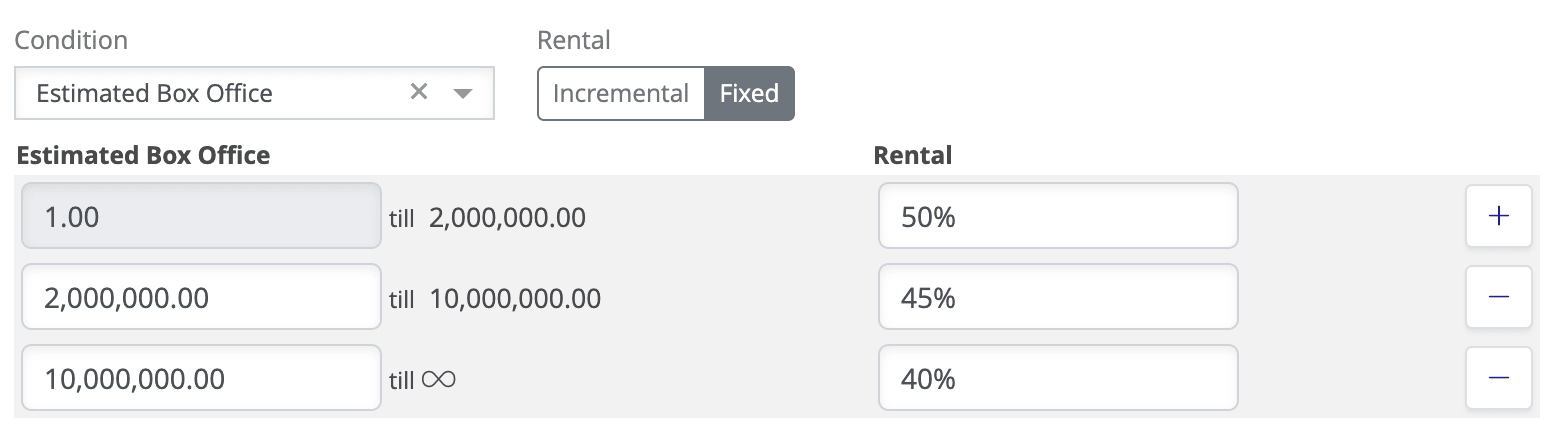
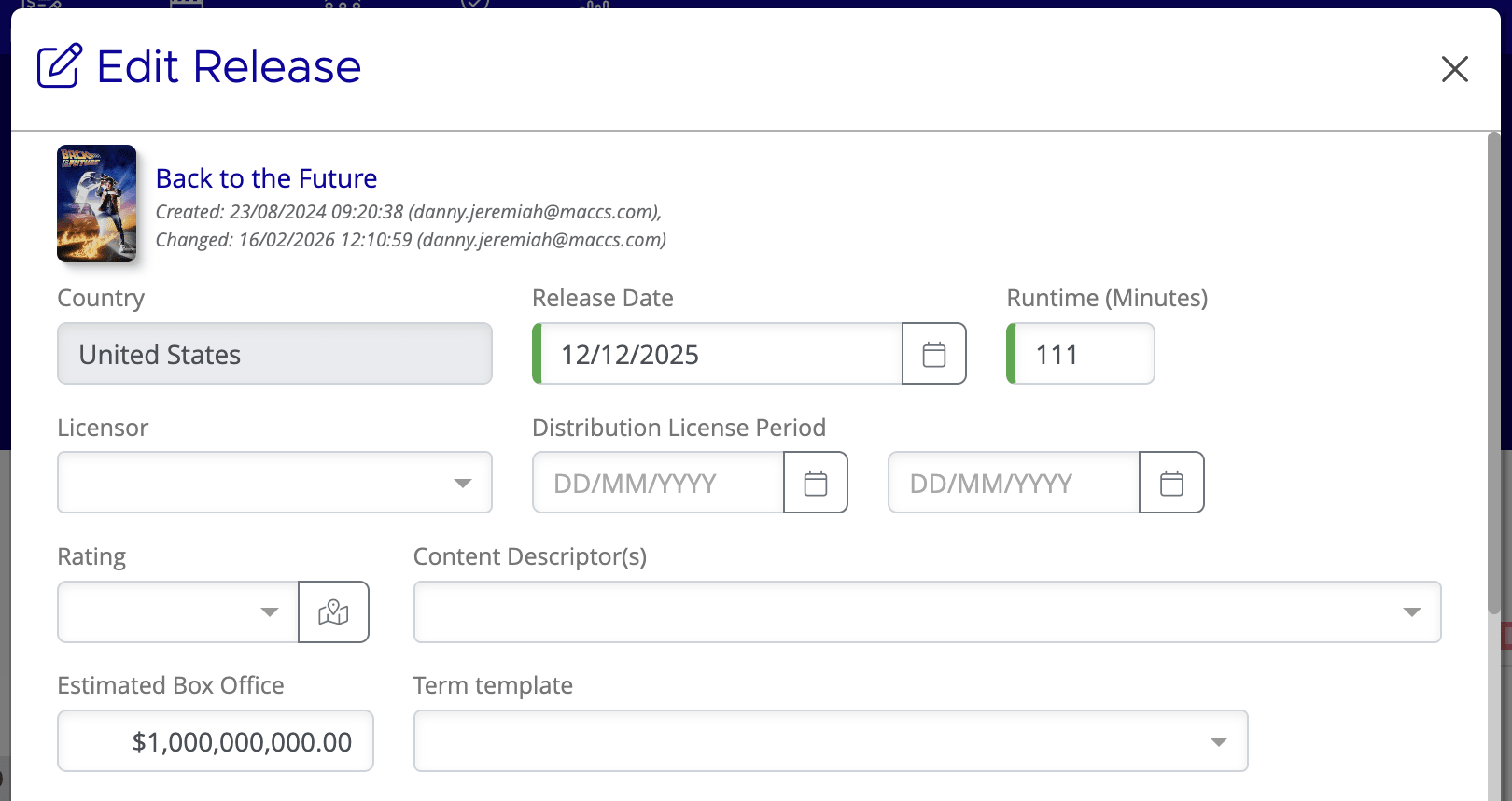
You define box office thresholds, each with a corresponding rental percentage. Mica uses the film's total domestic box office to determine which band applies. Early in a film's release, when actual figures are still accumulating, Mica uses the value in the Estimated Box Office field on the release record to determine the expected band. As the film's likely lifetime gross becomes clearer, you can adjust the estimated box office figure, and Mica recalculates all playweeks accordingly.
Example
| Box Office Threshold | Rental % |
|---|---|
| Up to 500,000 | 35% |
| 500,001 – 1,000,000 | 40% |
| 1,000,001 – 2,500,000 | 45% |
| 2,500,001+ | 50% |
If a film's estimated box office is set to 1,200,000, Mica applies 45% to all playweeks from the start. If actual performance later suggests a lifetime gross of 3,000,000, updating the estimated box office field triggers a recalculation at 50% across all playweeks.
Occupancy Rate
This condition calculates rental based on how full each screen was during a playweek, expressed as a percentage of total seating capacity. It is primarily used in certain Nordic markets and is not common in most territories.
How it works
You define occupancy thresholds, each with a corresponding rental percentage. Mica compares the actual admissions for a playweek against the screen's total available seats to determine occupancy, then applies the matching band.
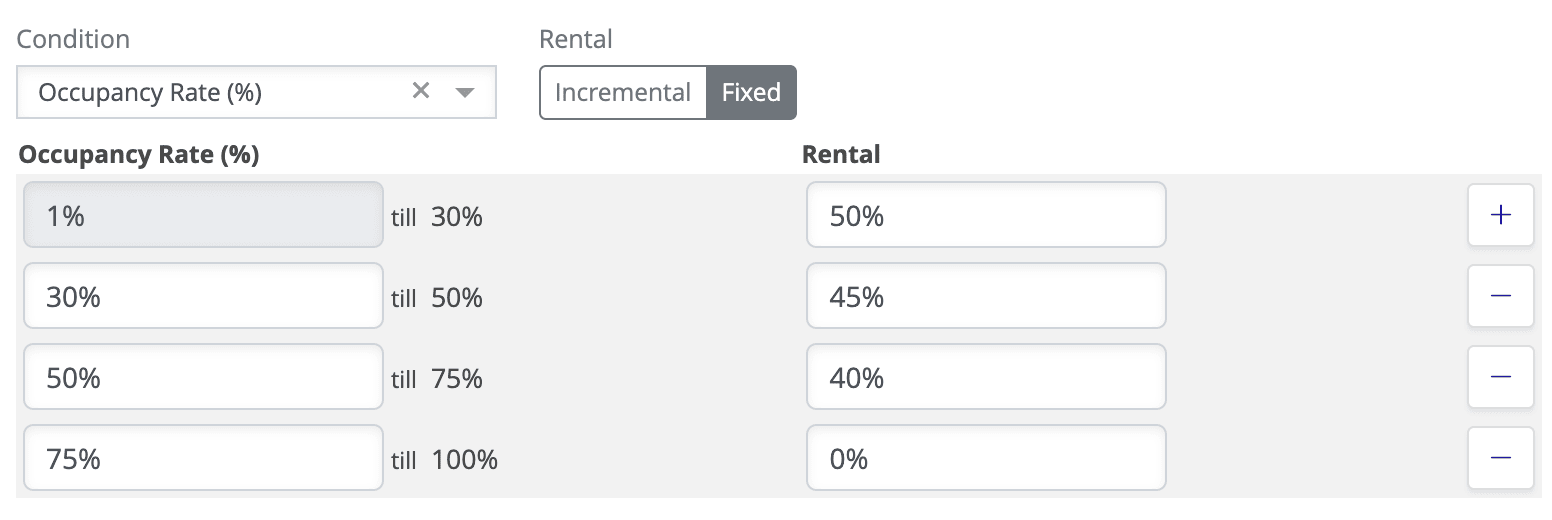
Example
| Occupancy | Rental % |
|---|---|
| Up to 40% | 35% |
| 41% – 60% | 40% |
| 61% – 80% | 45% |
| 81%+ | 50% |
Unlike the other condition types, occupancy rate is evaluated per venue per playweek. Two venues screening the same film in the same week may pay different percentages depending on how full their screens were.
Playweek Start Date
This condition is similar to Playweek but calculates the rental rate relative to the film's release date rather than each venue's individual booking start date. The result is that all venues pay the same rate for the same calendar period, regardless of when they started screening the film.
How it works
Instead of defining percentages by week number, you define them by calendar date. The step table uses a Playweek Starting After column with date pickers. An Initial row sets the default rate, and each subsequent row specifies a date — any playweek that starts on or after that date gets the corresponding rate.
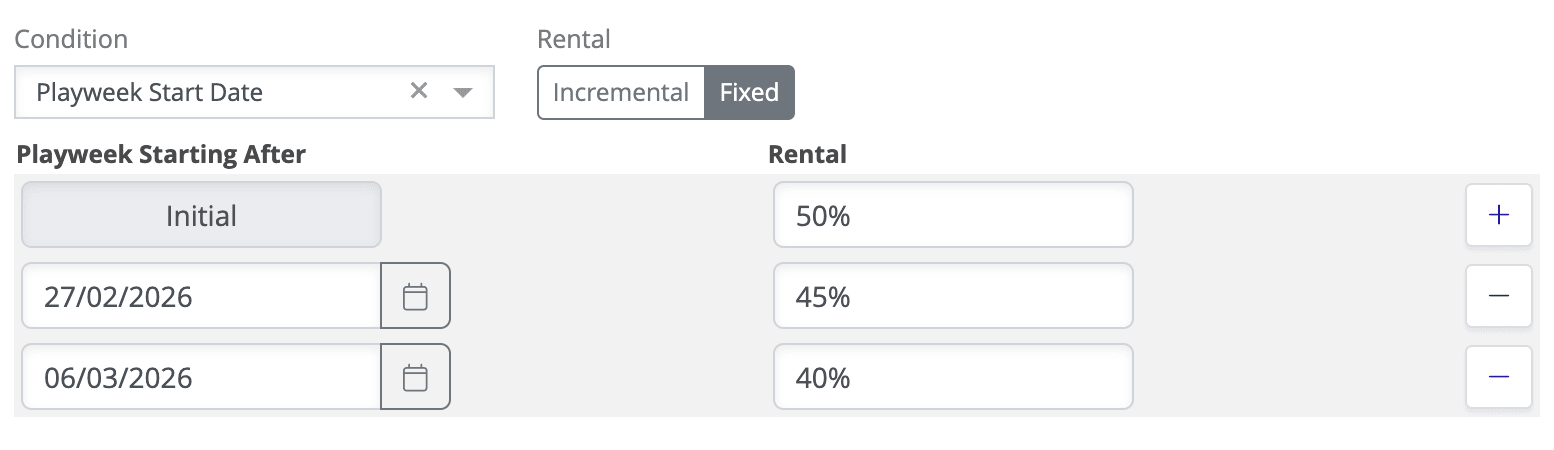
Example
| Playweek Starting After | Rental % |
|---|---|
| Initial | 50% |
| 27 Feb 2026 | 45% |
| 6 Mar 2026 | 40% |
The rate is determined by when each playweek starts. A playweek starting on 20 February falls under the Initial rate — 50%. A playweek starting on 27 February or 28 February falls under the second row — 45%. A playweek starting on 20 March falls under the third row — 40%.
The key difference from a standard Playweek condition: all venues are measured against the same calendar dates. If a venue's first playweek starts on 27 February, it pays 45% from day one — not the Initial 50% — because the rate is tied to where the film is in its release lifecycle, not how long that venue has been screening it.
Choosing the Right Condition
| Condition | Based on | Typical use |
|---|---|---|
| Playweek | Week number within each venue's booking | Standard sliding-scale agreements where rate decreases over time |
| Estimated Box Office | Country-wide total box office | Scale terms where higher-performing films command a higher rental percentage |
| Occupancy Rate | Screen occupancy percentage per venue per week | Nordic markets with occupancy-based agreements |
| Playweek Start Date | Calendar dates relative to the film's release | Markets where all venues should pay the same rate for the same period in a film's release |
If you need assistance with any aspect of Mica, we're here to help:
Contact your Mica system administrator for organisation-specific questions or access issues
OR
Reach out to the Mica support team at support.mica@maccs.com
How did we do?
Create a Booking