Quick reference guide to all playweek statuses in Mica. Covers Confirmed, Partial Returns, Returns In, Invoiced, Paid, No Invoice, and No Show statuses with color codes and invoicing rules.
Updated
by Danny Jeremiah
Every booking in Mica contains one or more playweeks, and each playweek carries its own status badge that tracks its progress from confirmation through to payment. This reference covers every status you'll encounter, what it means, and whether the playweek can still be edited.
Mica uses a two-tier status system. Some statuses apply to the booking as a whole (e.g. Expected, Cancelled), while others apply to individual playweeks within a booking (e.g. Returns In, Invoiced). A single booking can contain playweeks at different stages — for example, Week 1 might be Invoiced while Week 3 is still Confirmed.
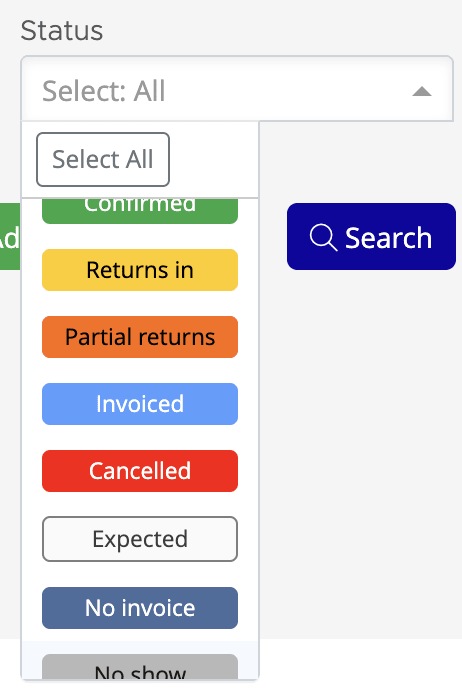
You can filter playweeks by status using the Status dropdown on the Bookings → Playweeks page:
Status Reference
Expected
Booking created but not yet confirmed. No shipping orders sent and the booking is not exported to MaccsBox. Fully editable.
Booking
Confirmed
Booking is active. Exported to MaccsBox, DCP/KDM shipping orders sent automatically. Can receive Flash and BOR figures. Editable.
Both
Partial Returns
BOR figures received for some but not all play days. Set automatically by Mica. Can be invoiced with caution, but waiting for complete returns is recommended.
Playweek
Returns In
BOR figures received for all play days. Data is complete and verified. This is the ideal status for invoicing. Editable until invoiced.
Playweek
Invoiced
Invoice created for this playweek. The playweek is now locked — figures, terms, and dates cannot be changed. To make corrections, credit the invoice first to revert the playweek to Returns In.
Playweek
Cancelled
Booking cancelled. Expired in MaccsBox and removed from the exhibitor's view. Shipping requests cancelled. Limited editing only.
Booking
No Invoice
Playweek closed without invoicing — used for press screenings, premieres, or charity events where no rental is charged. Locked.
Playweek
No Show
A gap in the playweek sequence — the film skipped this week but the booking continues. No figures expected.
Playweek
Playweek Lifecycle
Playweek statuses follow a natural progression as box office figures arrive and invoicing is completed. Most transitions happen automatically:
The ideal time to invoice is at Returns In — all BOR figures are complete and verified. You can invoice from Partial Returns, but only do so if you've confirmed with the exhibitor that no further figures are coming.
Payment Tracking
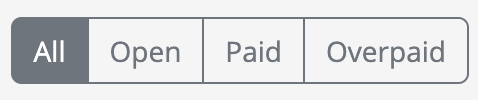
Once a playweek reaches Invoiced, Mica tracks payment progress separately via the Paid Status column on the Playweeks page. The three paid statuses are:
Open — invoice created but no payment received yet
Paid — payment received and fully allocated to the invoice
Overpaid — payment allocated exceeds the invoice amount
Use the Paid Status radio buttons on the Playweeks page to filter by payment progress:
If you need assistance with any aspect of Mica, we're here to help:
Contact your Mica system administrator for organisation-specific questions or access issues